목차
Realm을 프로젝트에 적용하기 위해, 연습용 프로젝트를 만들었다.
Realm의 문서를 보며 데이터 베이스와 CRUD를 뒤적거리며 코드를 구현해보았다.
저장된 데이터를 리셋(deleteAll)하는 기능을 테스트하던 도중, 오류가 발생했다.
테이블뷰가 UI를 업데이트하는 과정에서 오류가 발생하는 것이었다.
데이터 제거 및 UI 업데이트 과정
data delete -> data changes 발생 -> notification token -> change에 따른 UI 업데이트 처리
    func addChangeListener(_ tableView: UITableView?) {
        realmManager.notificationToken =
        myData.observe { changes in
            if let tableView {
                switch changes {
                case .initial:
                    tableView.reloadData()
                case .update(_, let deletions, let insertions, let modifications):
                    tableView.performBatchUpdates {
                        tableView.deleteRows(at: deletions.map({ IndexPath(row: $0, section: 0) }),
                                             with: .automatic)
                        tableView.insertRows(at: insertions.map({ IndexPath(row: $0, section: 0) }),
                                             with: .automatic)
                        tableView.reloadRows(at: modifications.map({ IndexPath(row: $0, section: 0) }),
                                             with: .automatic)
                    }
                case .error(let error):
                    fatalError("\(error)")
                }
            }
        }
    }
문제 발생
myData 배열 안에 데이터가 4개까지는 데이터 제거 및 UI 업데이트가 잘 수행됐다.
문제는 데이터가 5개 이상이 되는 순간 오류와 함께 앱이 멈췄다.
Thread 1: "Index 4 is out of bounds (must be less than 0)."
이 오류는 데이터를 다 지운 후에도 데이블 뷰가 이전의 데이터를 가지고 UI를 갱신하려고 하기 때문에 발생하는 문제였다.
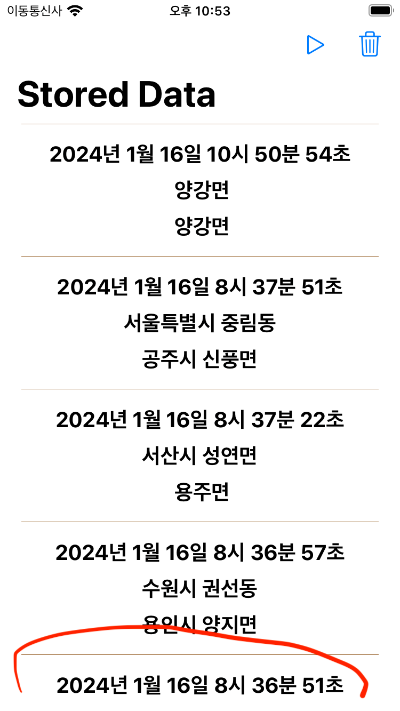
문제 해결 과정
문제를 해결하기 위해 Realm의 문서의 'React to Changes' 항목에서 notification으로 테이블 뷰를 업데이트하는 것에 문제가 있다는 것을 알게됐다.
React to Changes - Swift SDK — Atlas Device SDK
Docs Home → Atlas Device SDK All Realm objects are live objects, which means they automatically update whenever they're modified. Realm emits a notification event whenever any property changes. You can register a notification handler to listen for these
www.mongodb.com
여기에 테이블 뷰를 업데이트하는 4가지 방법이 나와있었다. 나는 하나하나 내 상황에 맞게 적용해보았다.
문제 해결 결과
하지만 해결이 되지 않았고 멘탈이 나간 나는 자고 일어나서 하기로 미뤄뒀다.
그리고 시뮬레이터를 돌려봤는데 작동이 잘됐다(이게 되네?). 심지어 그냥 수정하지 않은 delete 코드로 작동이 잘됐다...
작동이 되기 전 문제를 해결하기 위해 문서를 보고 이것저것 해보고, 빌드도 초기화 해봤었는데..
아마 자고 일어나서 xcode를 재구동하여 문제가 사라진 것 같다.
이렇게 xcode의 문제로 결론을 지은 이유가 있다.
해당 오류 발생 전, table view 관련 설정 중 selectionStyle을 none으로 하니 셀을 클릭해도 tableView(didSelectRowAt) 메소드가 모든 셀에서 일관적으로 작동하지 않은 문제가 있었다. 그래서 selectionStyle을 설정해야만 했었다.
하지만 이 문제도 위의 문제가 해결된 후 다시 테스트 해본 결과, none으로 잘 작동했다.
extension ListViewController: UITableViewDataSource {
    func tableView(_ tableView: UITableView, numberOfRowsInSection section: Int) -> Int {
        vm.myData.count
    }

    func tableView(_ tableView: UITableView, cellForRowAt indexPath: IndexPath) -> UITableViewCell {
        guard let cell = tableView.dequeueReusableCell(withIdentifier: "ListCell", for: indexPath) as? ListCell else { return UITableViewCell() }
        let item = vm.myData[indexPath.row]
        cell.configure(item: item)
        cell.selectionStyle = .default
        return cell
    }
}

extension ListViewController: UITableViewDelegate {
    func tableView(_ tableView: UITableView, didSelectRowAt indexPath: IndexPath) {
        let item = vm.myData[indexPath.row]
        print("item: \(item)")
    }
}
결론
앱스토어에 xcode 후기를 보면 욕이 많다. 또 주변에서도 xcode가 문제 있다는 말을 많이 들어왔는데 직접 경험한 것은 처음이었다.
그래도 해결되서 좋다. ㅎㅎ;;
혹시 나와 같은 이슈를 경험한 분들은 당황하지 않고 재부팅을 하시면 좋을 것 같다.
'Swift' 카테고리의 다른 글
| CoreLocation) 문서 공부2 (CLLocationManager) (4) | 2024.02.06 |
|---|---|
| CoreLocation) 문서공부1 (현재 위치 받기, CLLocation 클래스 파헤치기) (1) | 2024.02.01 |
| CoreLocation) 위치정보 이용 관련 시뮬레이터 활용방법 (2) | 2024.02.01 |
| CoreLocation) 위치정보 이용에 필요한 승인 권한 요청(사용중, 항상) (0) | 2024.02.01 |
| 동시성(Concurrency)이란? (비동기, 병렬처리 개념) (0) | 2023.04.24 |


